


The Enterprise
A unified enterprise administration experience
There was a growing need for our large enterprise organizations to manage complex, multi-instance sales operations at scale.
Our new enterprise experience aimed to provide a centralized administrative and operational interface for enterprise-level customers, consolidating management functions currently distributed across their multiple Salesloft instances.
Role
Lead Designer
Timeframe
7 months
Company
Salesloft
Year
2025
CHALLENGE OVERVIEW
Inefficiencies & redundancies
For starters, what is an instance? An "instance” is essentially a single container of customer data within a single login of Salesloft, linked to a unique CRM. Customers of Salesloft can have unique instances of Salesloft to separate their business for a variety of reasons including security and compliance, geographic and regional differences, unique CRMs, business unit autonomy, and operational scale
Enterprise Administrators managing multiple instances of Salesloft faced significant inefficiency, redundant workflows, and governance challenges due to the lack of a centralized management experience and inconsistent configurations across isolated instances. Admins were wasting considerable time on repetitive setup tasks, increasing the risk of errors and inconsistencies, hindering global oversight and reporting, and limiting their ability to govern their instances effectively.
PART ONE
Understanding the Problem
User Interviews
UNDERSTANDING THE PROBLEM
We conducted 5 in-depth interviews with users across various industries who manage multiple Salesloft instances, guided by 3 key objectives:
01
Understand existing workflows, needs, and pain points for users with multiple instances
02
Identify beneficial reporting and analytics at both the enterprise and instance level
03
Inform a new Multi-Instance Enterprise experience
Key insights
From these interviews we honed in on key challenges for administrators
Lack of a global view
Necessitates duplicate workflows, leaving room for inconsistencies, and preventing visibility into global performance.
Task repetition
Users are having to manually replicate platform configurations across multiple instances.
Other challenges
Awkward & unclear navigation between instances
Difficult governance
Lack of flexibility & customization
Difficulty extracting data
Users with multiple instances of Salesloft need a centralized, global view where they can manage all of their instances.
This will reduce task repetition, improve consistency and visibility, and ultimately enable better governance, scalability, and more informed decision-making across the entire organization
PROBLEM STATEMENT
PART TWO
Laying the foundations
Foundational architecture & design
LAYING THE FOUNDATIONS
To create the Enterprise experience, we first needed to architect a new class of object: The Enterprise.
Architecting the Enterprise
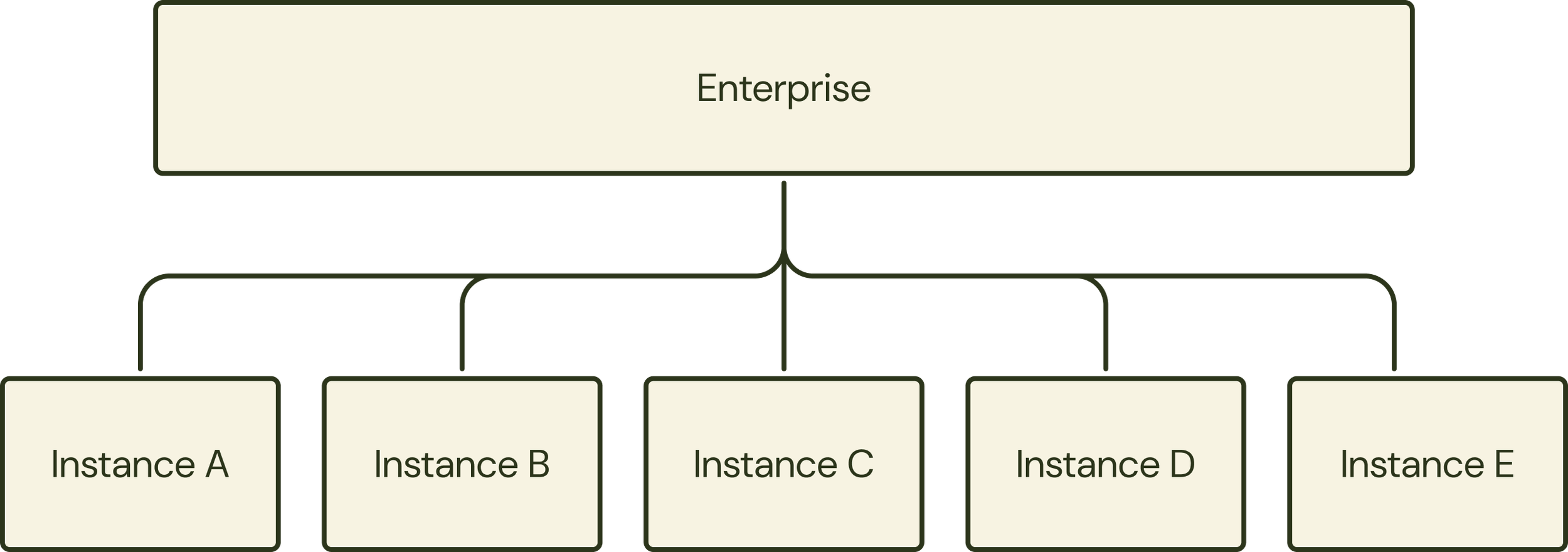
An enterprise is a global entity that is composed of multiple multi instances. This allowed the instances to functionally be associated under a single enterprise login while keeping the instances to be containerized and unaware of each other.
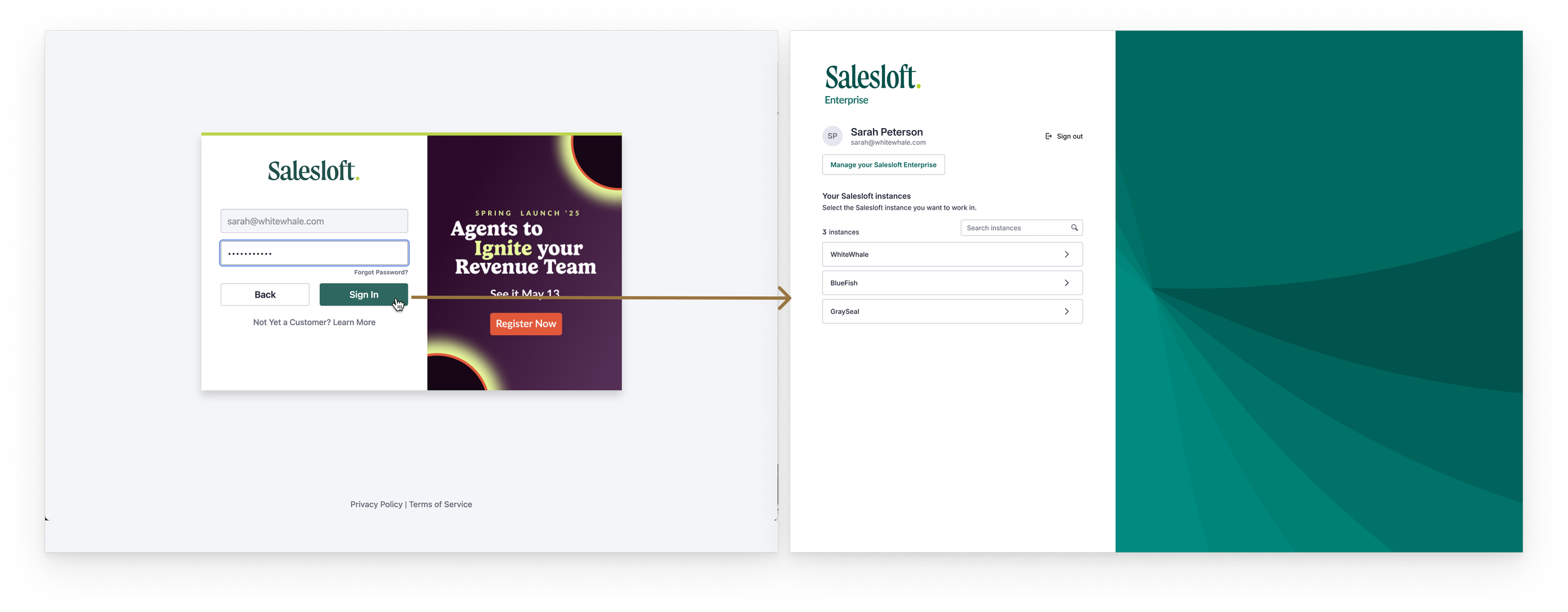
A single login experience
Prior to introducing the enterprise object, all instances lived entirely separately from each other. Users had to log in and out of each instance for access. To keep track of it all they were using password managers or unique Chrome profiles. With the introduction of the enterprise, we were able to unite all of their instances under a single login. After entering their password, they were able to select their desired instance.
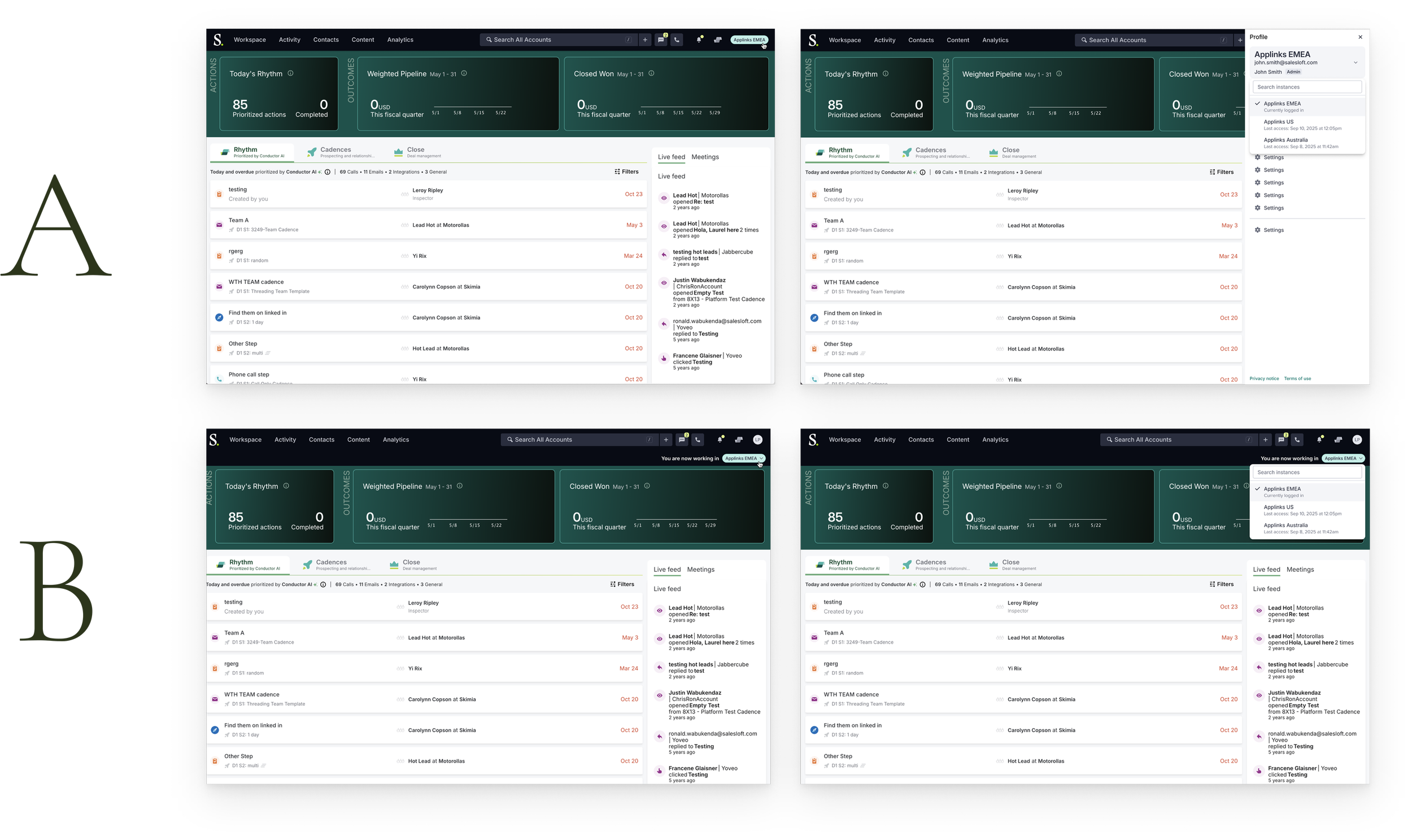
Switching between instances
To allow users to seamlessly navigate between Salesloft instances without having to re-authenticate, we introduced the concept of an “instance switcher”. This also provided users the ability to see what instance they’re working in in order to minimize mistakes.
AB Testing
We went back and forth over the best approach, so we decided to put it to the test with our users.
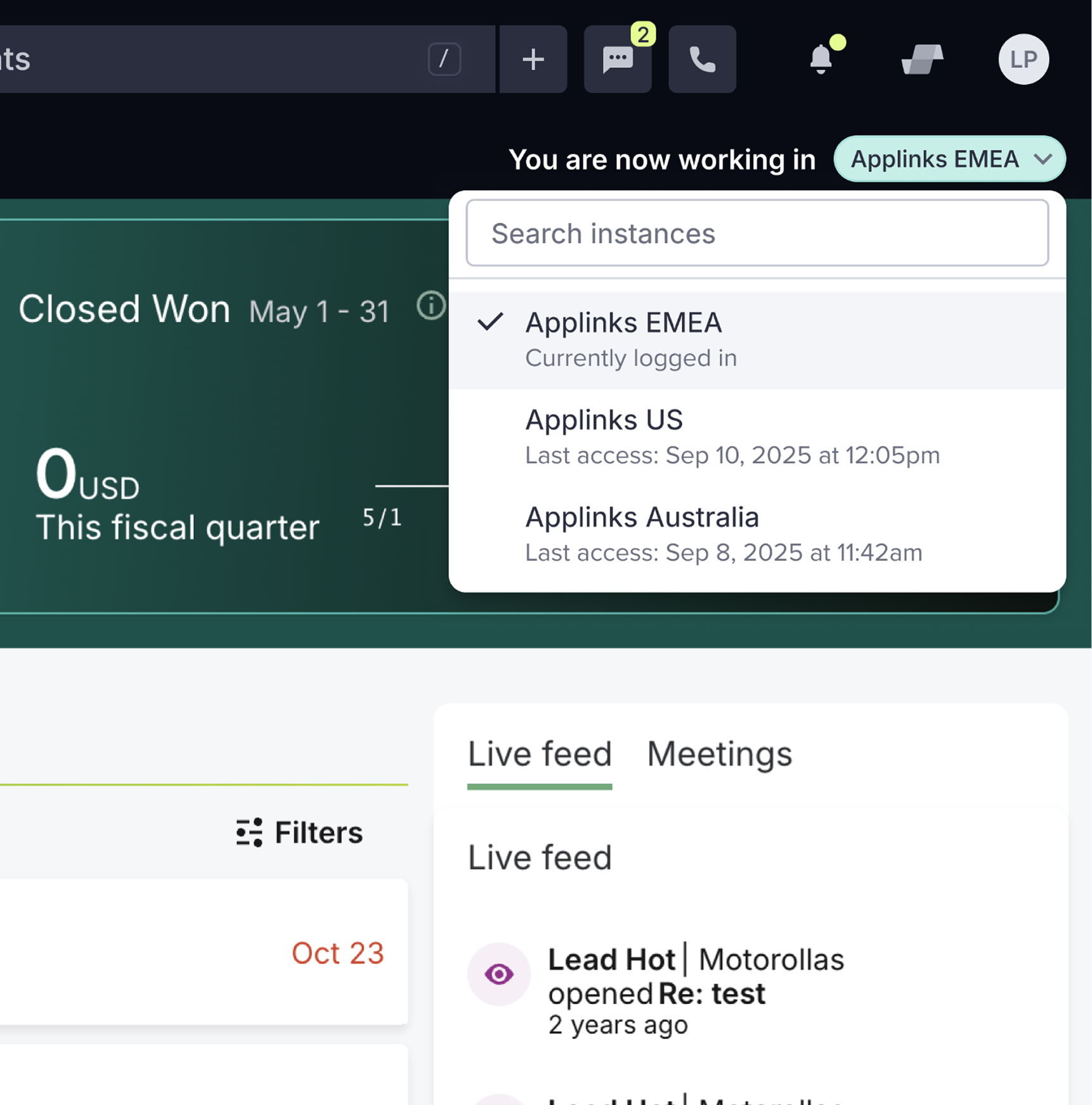
The Winner:
Option B
After testing it with our users, Option B was the clear winner due to the fact it required less clicks & felt visually clearer to users which instance they were working in.
PART THREE
Introducing the Enterprise UI
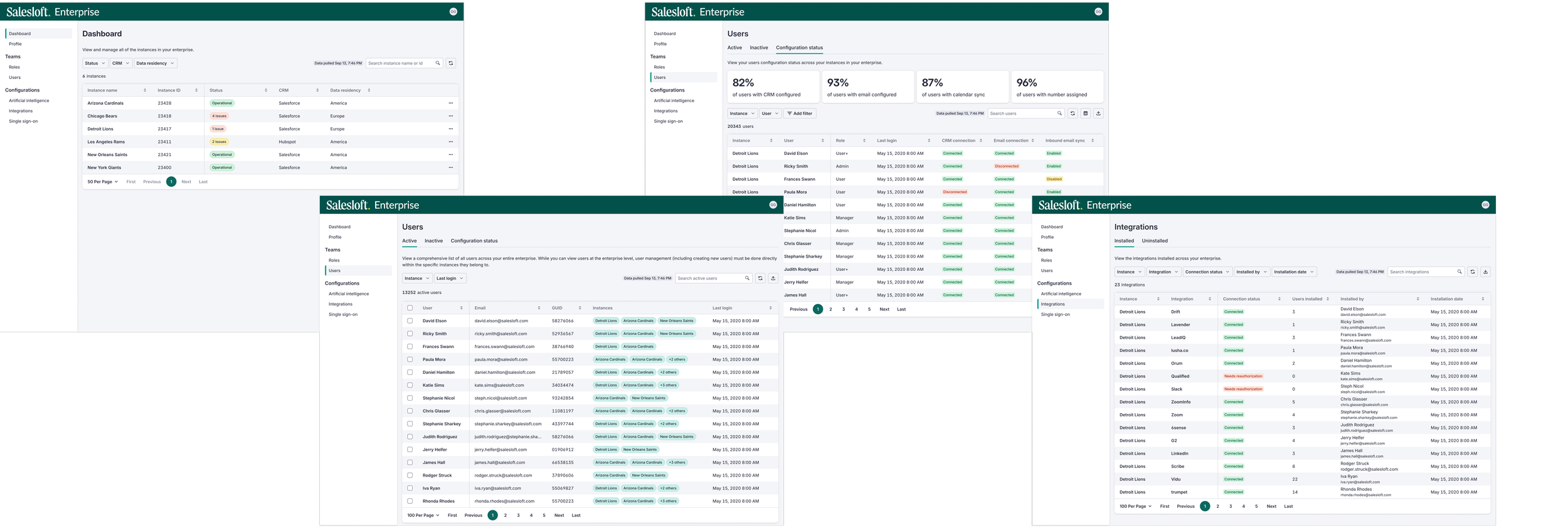
A global view & centralized management experience of all instances
INTRODUCING THE ENTERPRISE UI
Users with multiple instances of Salesloft need a centralized, global view where they can manage all of their instances. This will reduce task repetition, improve consistency and visibility, and ultimately enable better governance, scalability, and more informed decision-making across the entire organization
Where to begin?
The scope of this new experience had the potential to be quite large, so we wanted to take a phased approach. The real question though was, where do we begin? To answer this question we sat down as a team and set out to answer 4 questions.
What settings could be configured at an enterprise level and pushed down to the instances?
What is the lift to implement at the enterprise level?
How much value would this add for our Enterprise admins?
What can we reasonably deliver in the next three months?
Considerations
While answering these questions and scoping the project, there were a number of factors to consider.
Technical
Data loading speeds
Pulling from multiple data sources
Actions at the Enterprise level affecting the instance and vice versa
Resources & timeline
Limited development resources
Fast approaching August deadline
Visual Design
Leveraging our existing design system for efficiency and consistency while distinguishing the experience from the instance level
How the experience might be affected for edge case customers who have a large number of instances
PART FOUR
Designing, delivering, & looking forward
Design process
My design process for this project was iterative and heavily collaborative. As this project was highly technical, I kept my product manager and engineers closely involved in the design process.

Handing off for development
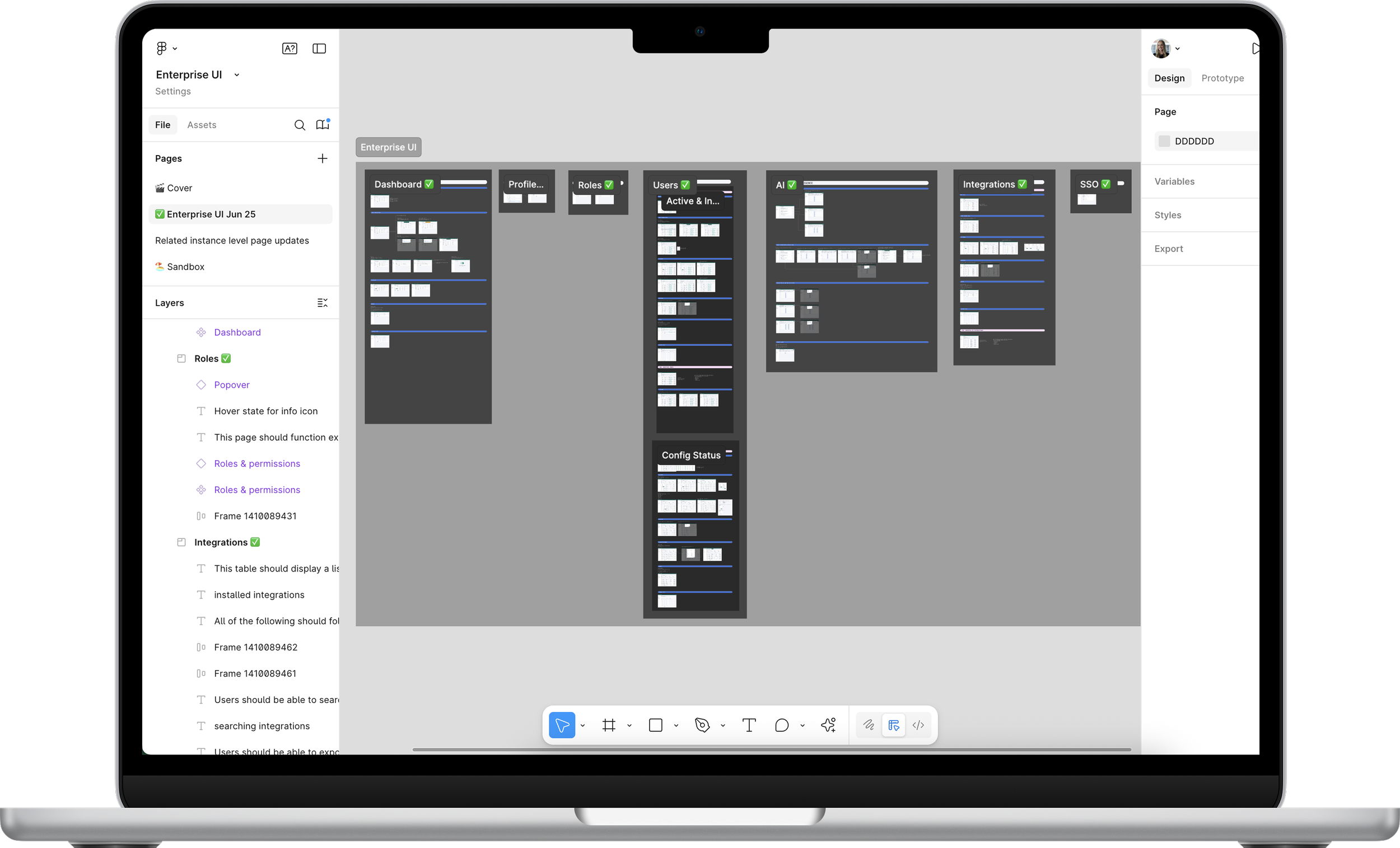
By keeping engineers involved in the design process, it made the transition into development much smoother as they were already aware of what was to come. I still always like to hold an official development kickoff meeting where I walk through the designs and answer any outstanding questions. I also deliver clearly organized flows, annotated designs, and a recorded video walkthrough for our developers to reference.
Looking forward
Sadly, development was still in progress at the time I departed the company, but based on our research, we were optimistic that this new Enterprise experience would fulfill a big need of our enterprise customers. Beyond this first phase, we had 3 key things we wanted to address as we expanded and improved the experience.
01
Increase Actionability
Allowing users to fix instance level issues directly within the admin experience
02
Creating content standards at the Enterprise level that can be leveraged at the instance level
Content Libraries
03
Global Reporting & Analytics
Cross instance aggregation of data when appropriate
View More
Mobile and web-based application with a bespoke content management system designed to improve school-to-parent communications.

Replatforming and redesigning Hitachi’s network of European websites.
